
Copyright LionCoders 2019
made with the Documenter v1.0
made with the Documenter v1.0
listagram is a clean and modern directory listing HTML Template with awesome features and well-defined & validated code. This template is suitable for a lot of websites directory & listing types, like Hotel, Travel, Real Estate, events, Property, Restaurants, Entertainments etc.
To set the background image of places tab you'll have to open style.css file and find the following line(s) of code there:
                .hero {
                    background-size: cover;
                    position: relative;
                    display: flex;
                    align-items: center;
                    background-position: top;
                    height: 100%;
                    padding: 15rem 0 12.5rem;
                    background-image: url("../images/header/hero-1.jpg");
                    transition: all 0.5s ease-in-out;
                    background-repeat: no-repeat;
                    background-color: #fff;
                        }
Now just change the file reference in "background-image :" property to your desired image.
To set the background image of events tab you'll have to open style.css file and find the following line(s) of code there:
                .hero-events {
                background: url("../images/header/slider-3.jpg");
                background-size: cover;
                background-position: top;
                background-repeat: no-repeat;

                            }
Now just change the file reference in "background-image :" property to your desired image.
To set the header image you'll have to open the associated file (e.g. home-v2.html) and find the following line(s) of code there:
<div class="hero v2 section-padding" style="background-image: url(images/header/hero-2.jpg)">
Now just change the file reference to your desired image.
You can adjust the opacity of overlay section to achieve proper conrast. To do that find the following code and change the number trailing the 'op' class to any odd number between 1-9.
<div class="overlay op-3"></div>
You can change the theme layout color by choosing any color from color switcher at the top left side.
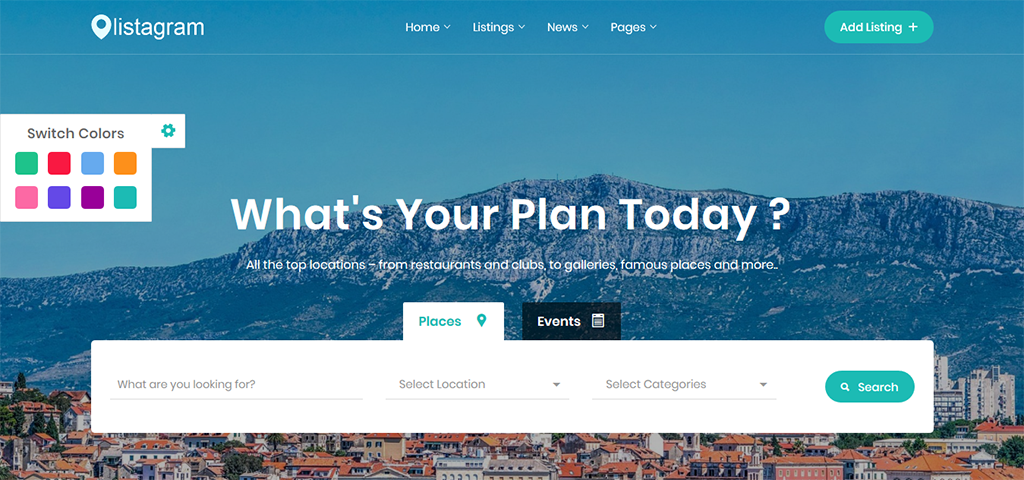
Open the file 'home-v9.html' and find the following code.
<a class="player" data-property="{videoURL:'https://youtu.be/GDGB68VD5DE'}"></a>
Now change the url to your desired youtube video url.
Open the file 'home-v3.html' and find the following code.
<div id="video-wrapper" style="background-image: url(images/header/video-bg.jpg)"> </div>
Now change the url to your desired youtube video background image.
To set the Countdown timer you'll have to open the associated file (e.g. single-listing-one.html) and find the following line(s) of code there:
<div class="countdown-deals text-center" data-countdown="2019/12/01"></div>
Now change the "data-countdown" value to your desired date.
To set the Counter up you'll have to open the associated file (e.g. about.html) and find the following line(s) of code there:
            <h6 class="counter-value">
                            </h6>
Now change the "data-count" value to your desired date.
To setup the contact form, open "send_mail.php file in the "php" folder and find the following lines of code there:
$toEmail = "hello@yourdomain.com";